Unit Management
In the Unit Management section, you can create or import new units, as well as edit or delete existing units:
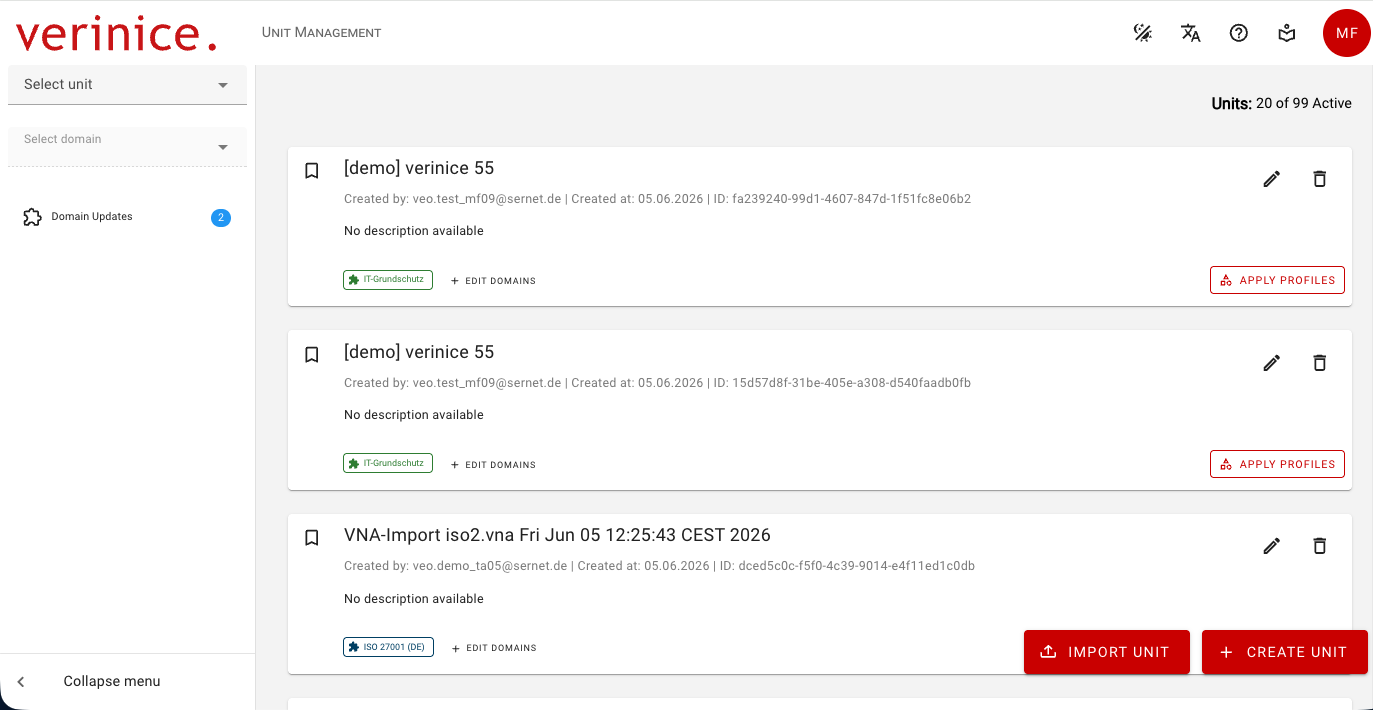
You can access Unit Management at any time via the verinice logo or by selecting Manage Units in the Unit Selector.
Note the number of available units! Generally, two units are always available, so you can use one for productive work and one as a test unit. If all available units are in use, you can only create additional ones after deleting units or purchasing more.
Create Units
You can create new units using the button of the same name in a wizard. You can:
- Specify the name and description of the unit.
- Apply profiles to your unit. Please note that a profile always generates a variety of additional objects and may also assign a new domain.
- Add additional domains to your unit, for example, to map an ISMS according to ISO 27001 and a DSMS according to the GDPR using the same objects.
Import Units
Using the Import Unit button, you can import units previously exported via Data Transfer as new units.
Currently, only units based on the same Domain Template Version can be imported.
Edit Units
You can edit a unit’s name and description using the pencil icon. As with creating units, you can also apply profiles and edit domains for existing units.
Adding new domains cannot currently be undone and should therefore be tested initially in a unit not used productive.
Delete Units
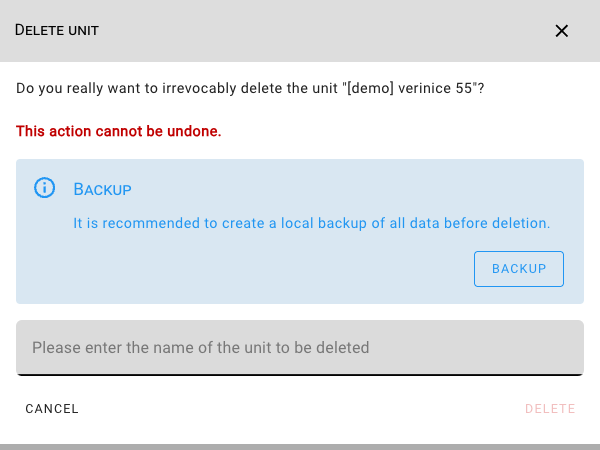
You can delete units that are no longer needed by clicking the trash can icon after a confirmation prompt—you must confirm the name of the unit to be deleted. It is recommended that you create a local backup in advance via Data Transfer.