
IT-Grundschutz Check
In this step, the status of the modeled modules—specifically, the individual requirements—must be processed. To edit requirements, click Show Implementation for the respective module in the Modules tab of the target object's context.
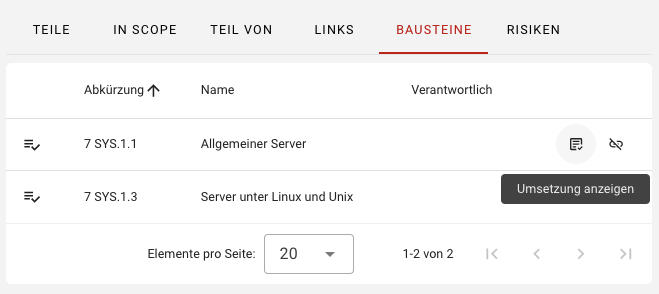
You will be taken to an overview of all requirements of the selected module. Here, you can edit the individual requirements. By clicking on a requirement, the implementation dialog opens, where you can view or enter the following information:
- Information about the target object and requirement.
- Requirement description (from the IT-Grundschutz Compendium).
- Implementation information:
- Responsible person
- Implementation deadline (date)
- Implementation status (Unprocessed, Yes, Partially, No, Not Required)
- Implementation description
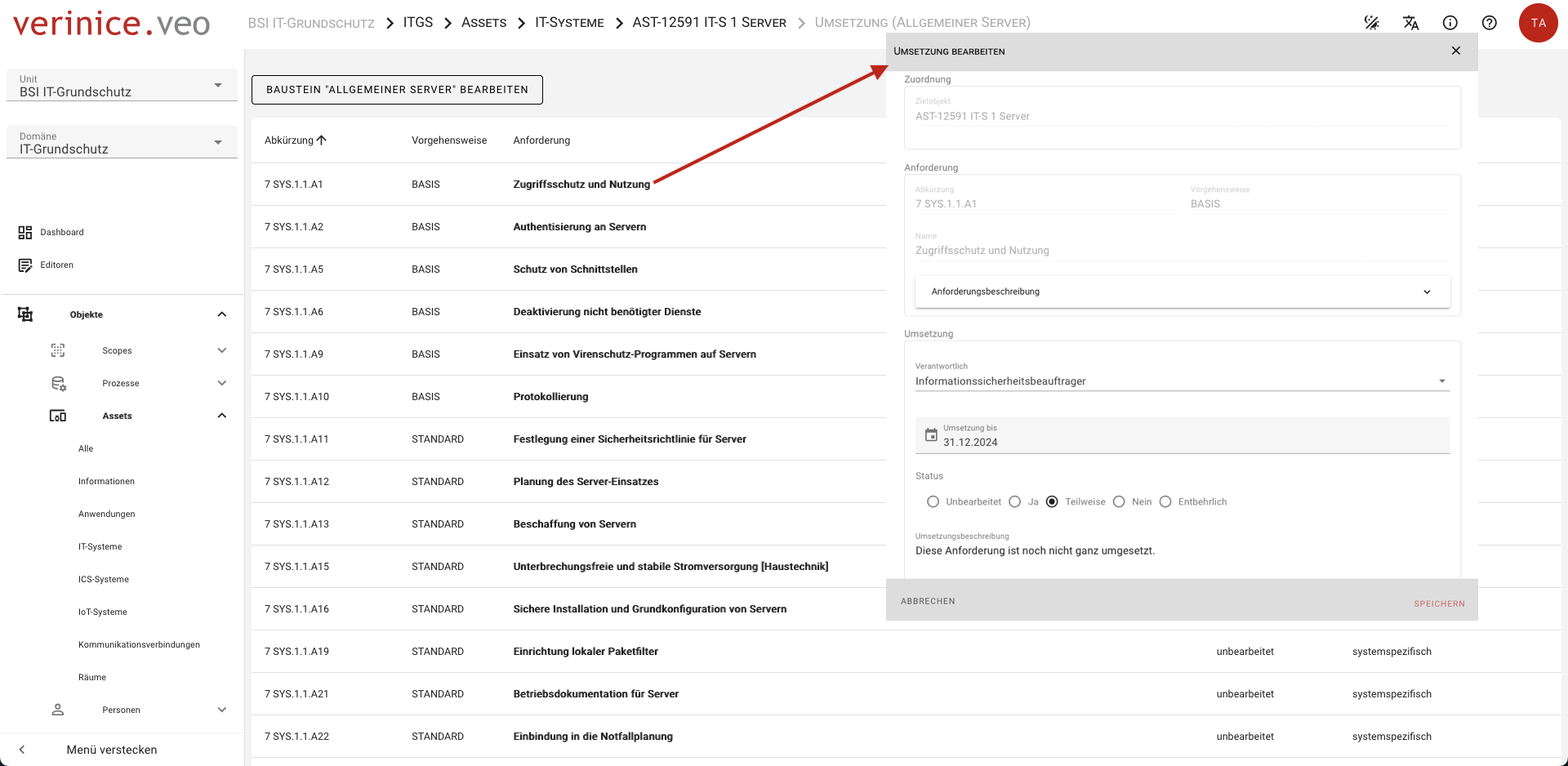
Once you have entered the data, close the dialog by clicking Save.
In practice, this step is more time-consuming, as a large number of requirements are often in the process of being implemented. After all modeled modules and requirements have been processed, the result of the IT-Grundschutz Check can be generated as a report.