
List of processing activities
Record processing activity
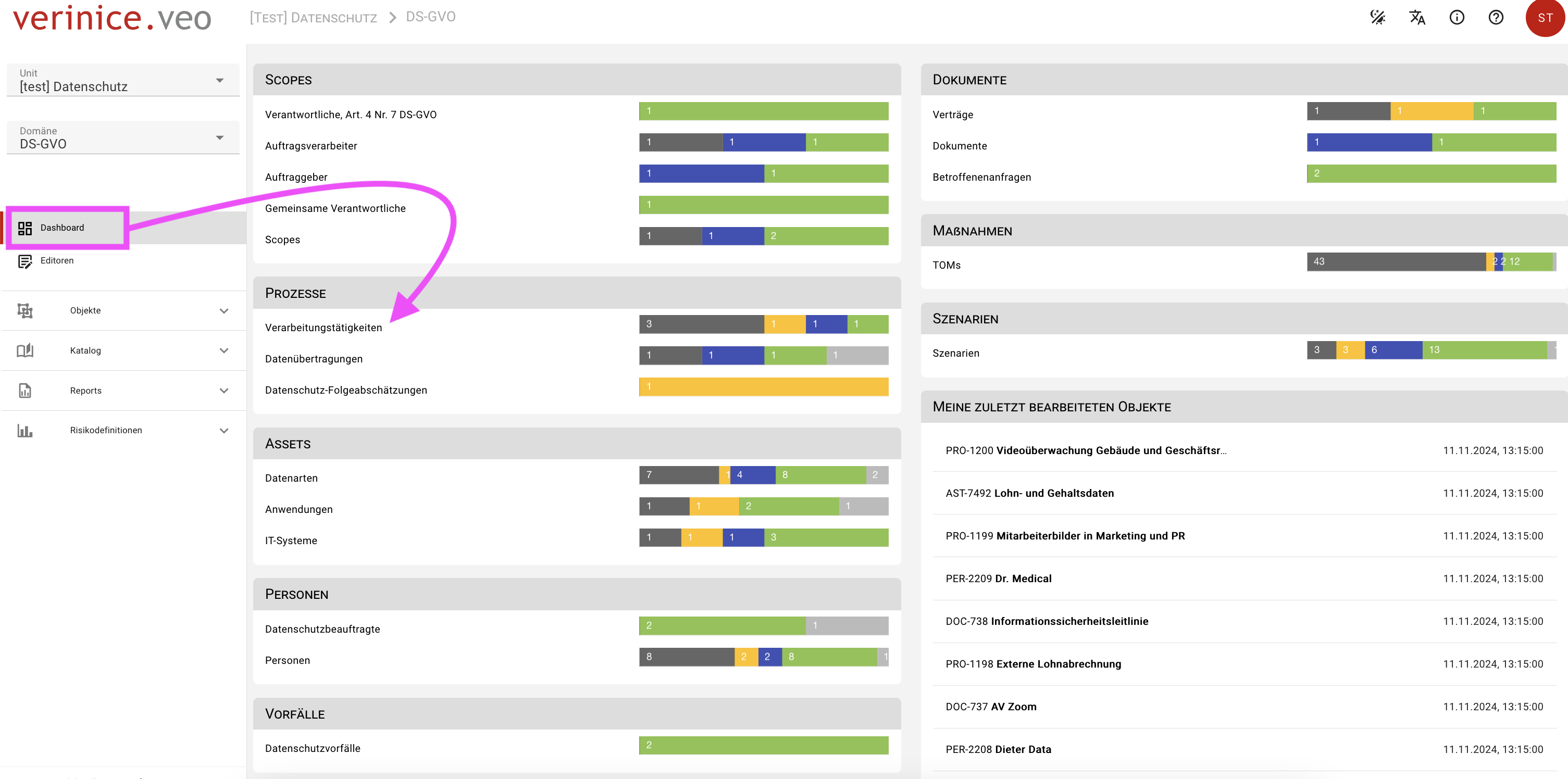
In verinice, processing activities represent a subtype of the target object process and can be recorded using the processing activities form. You can access the so-called Object overview via the dashboard by clicking on the Processing activities form and can now create a new processing activity using the red Plus button.
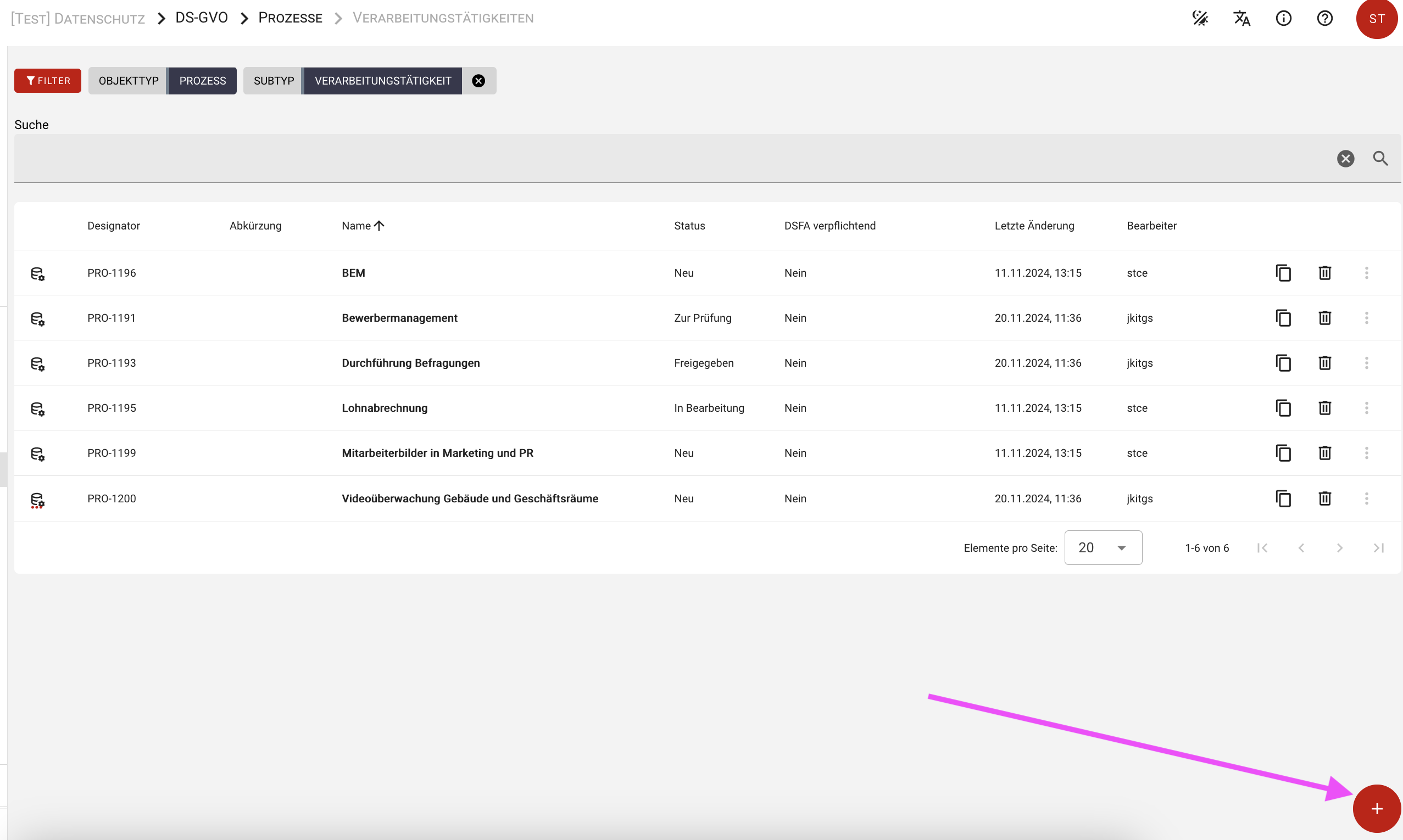
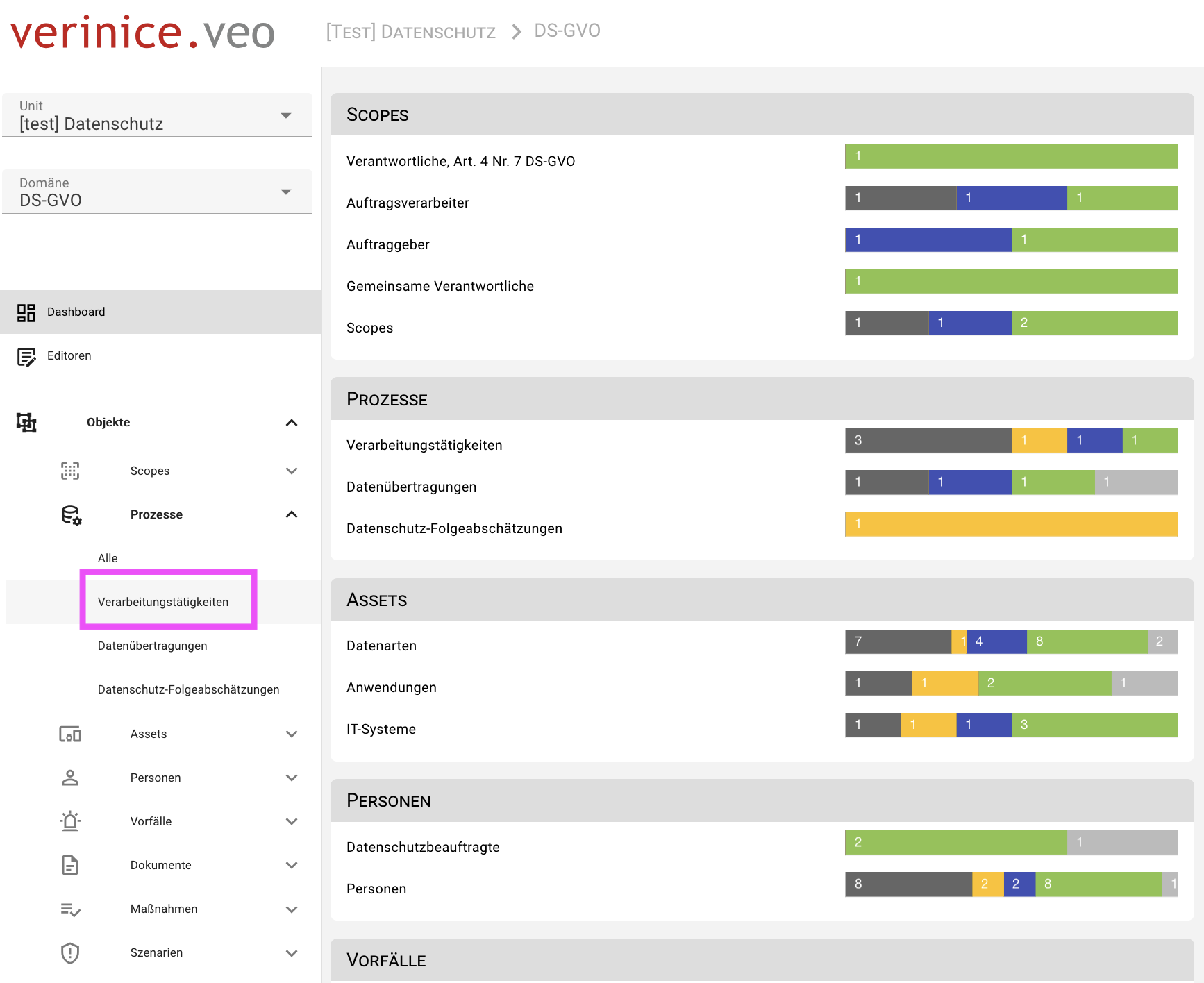
Alternatively, navigate via the main menu Objects > Processes > Processing activities to the Object overview and create a new processing activity using the red Plus button.
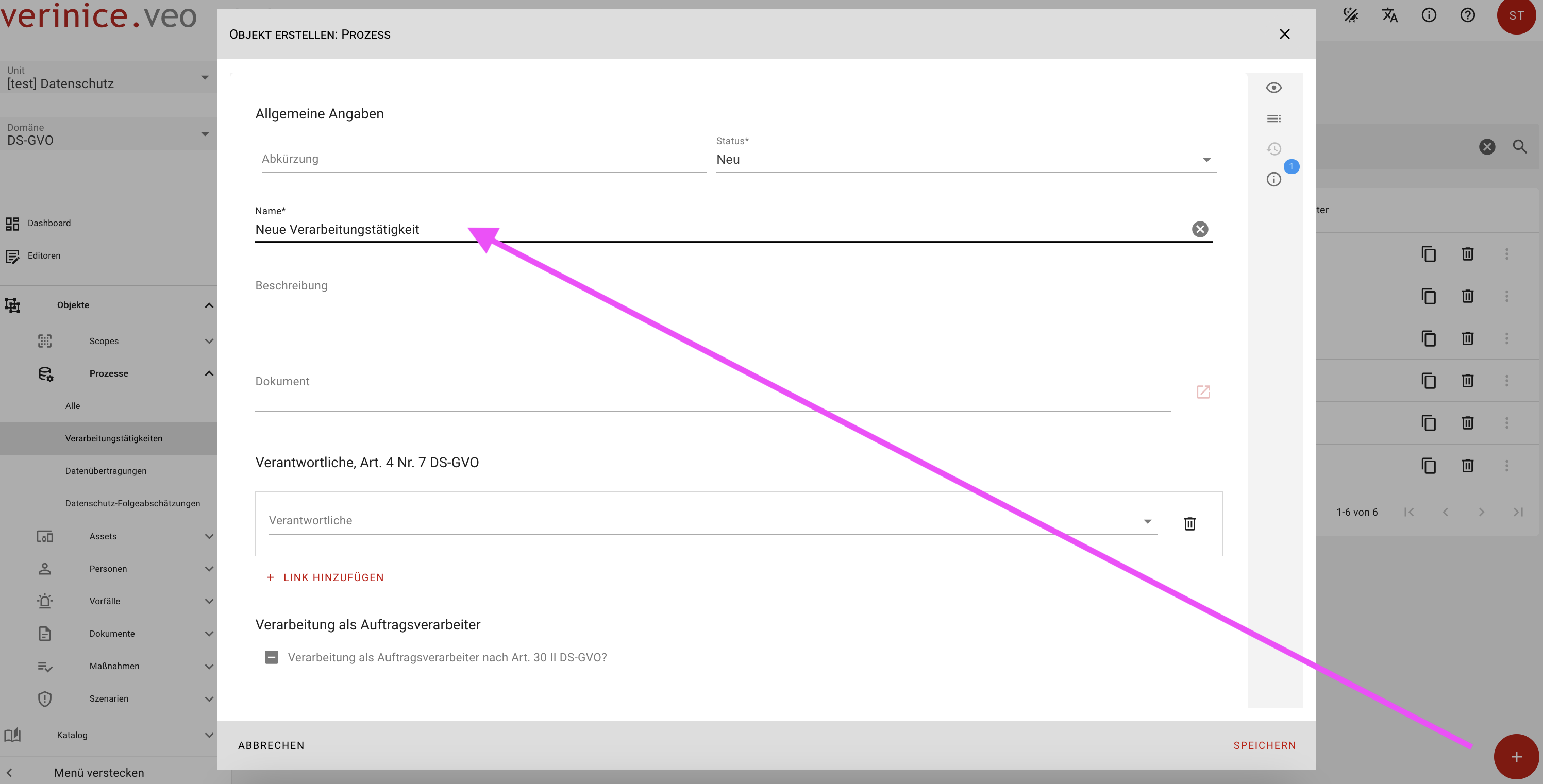
In the dialog that opens, you can, if desired, enter and save all information, but at least the name and status of the processing activities form. The processing activity is now listed as a new object in the object view.
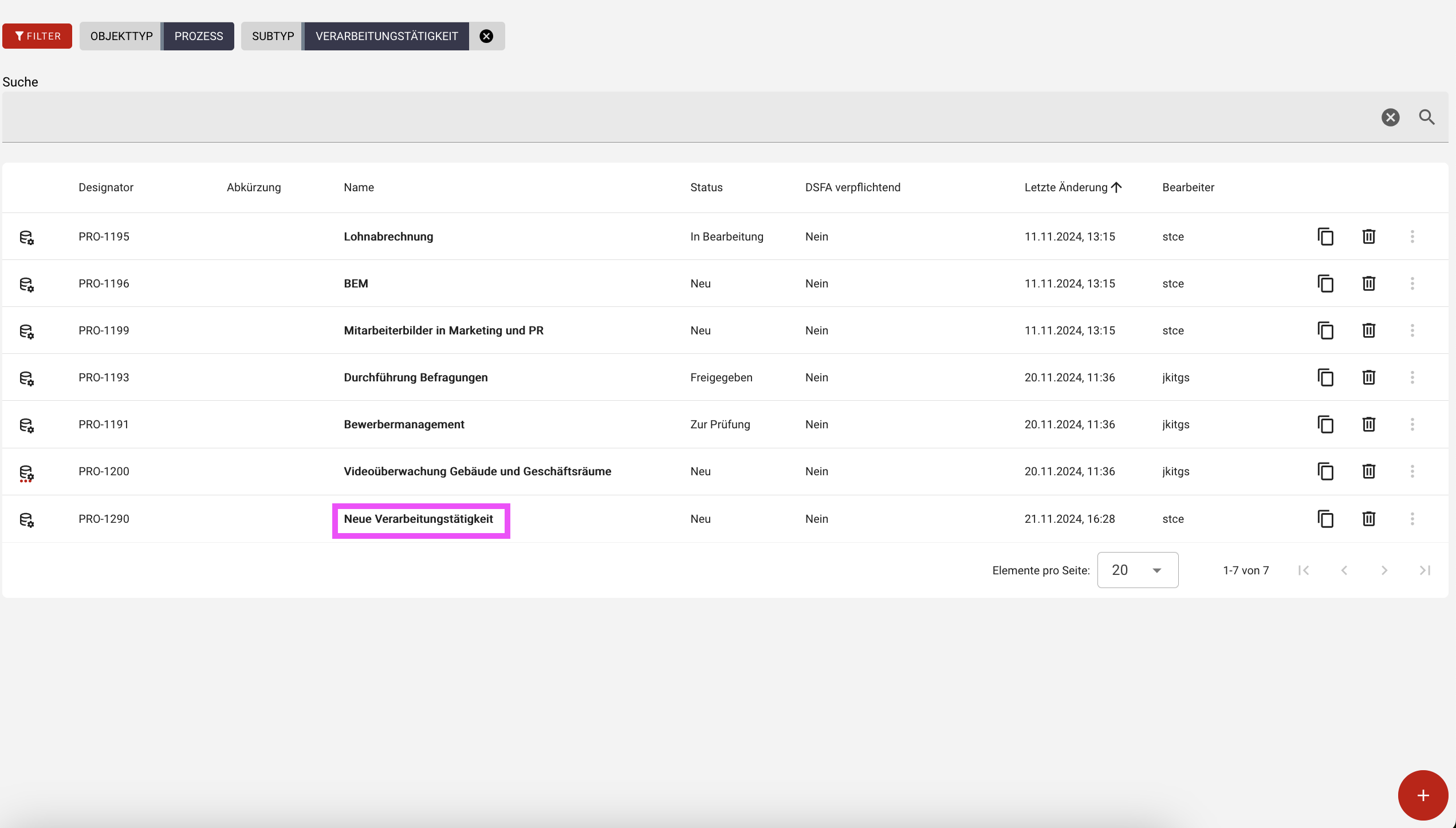
Click on the object to open the newly created processing activity for further editing. Two views are now available. The detail view on the left and the form view on the right.
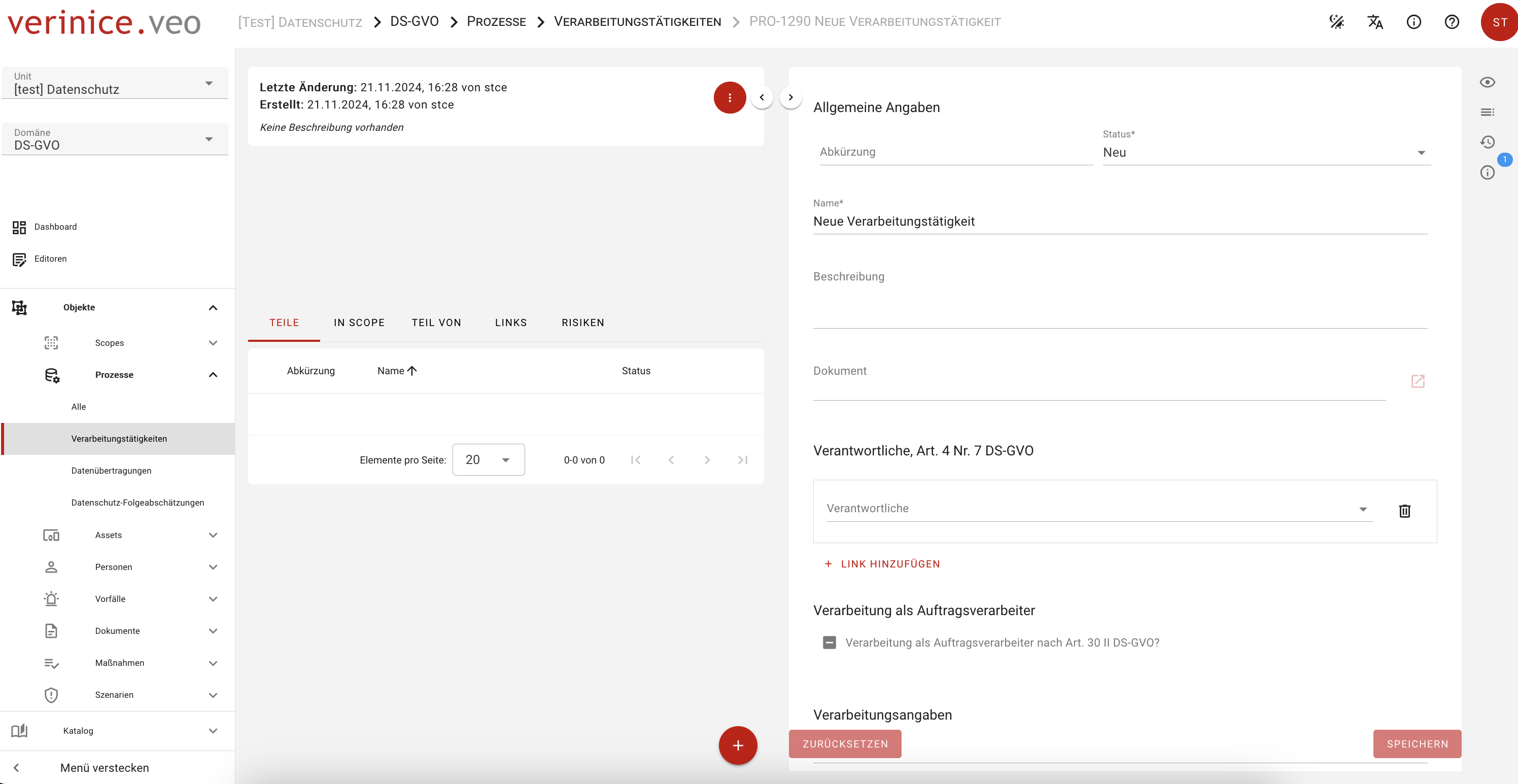
The information for the processing activities must be entered in the form of the same name and therefore in the form view. For a better overview, you can hide the detailed view using the Hide object details function. If necessary, the process can be undone at any time using the Show object details function.
The division detail view and form view exists for all target objects.
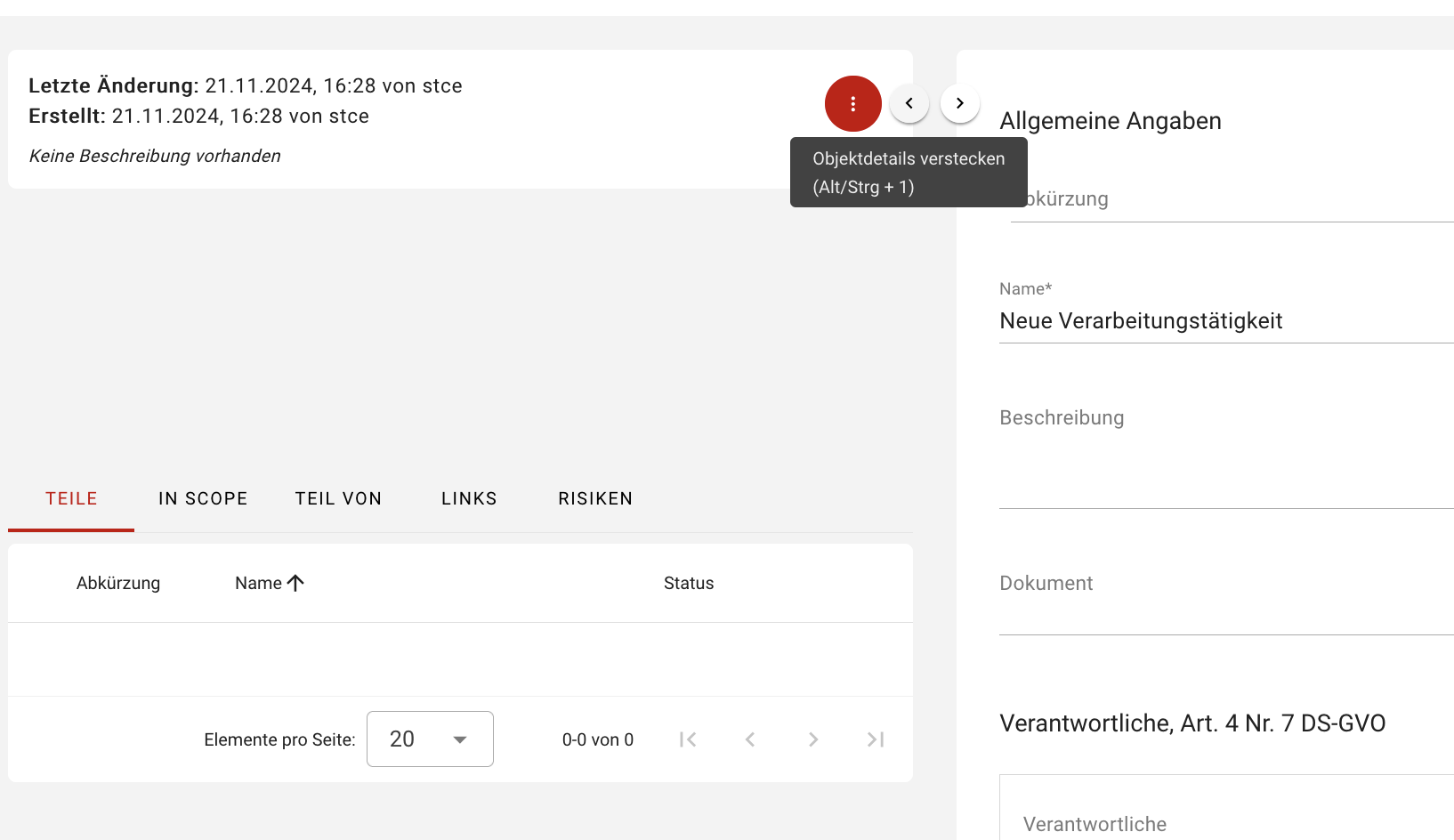
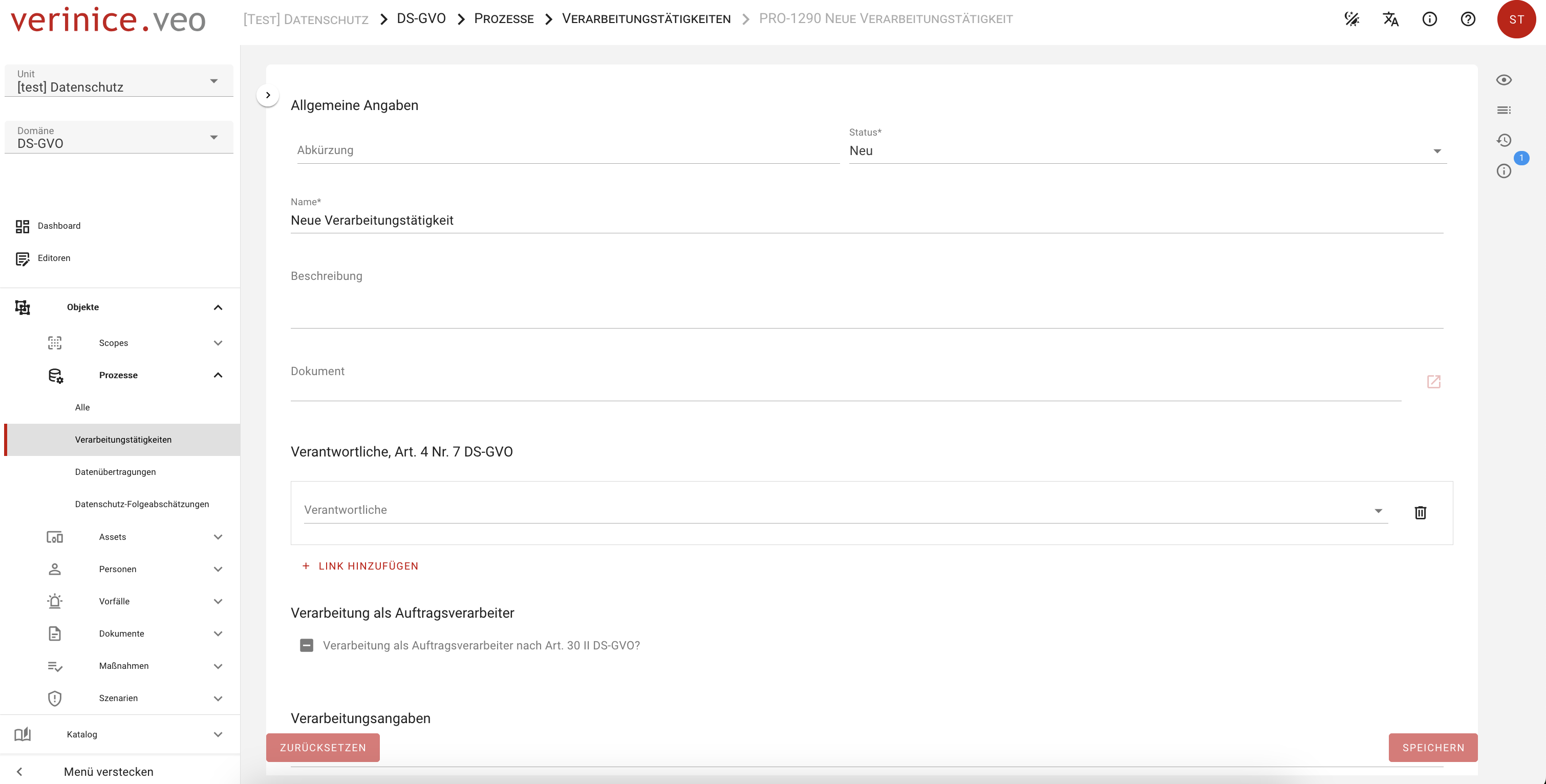
In the following sections, the processing activity can be documented in accordance with the GDPR:
General information
In this section, you have the option of entering information such as an abbreviation or status in addition to a processing description.
Controller, Art. 4 No. 7 GDPR
The controller must be specified. You can use the Add link function to select controllers that you have already created using the Controller form. If you have not yet created any objects for this purpose, this can alternatively be done via the function Add link > Create controller, Art. 4 No. 7 GDPR.
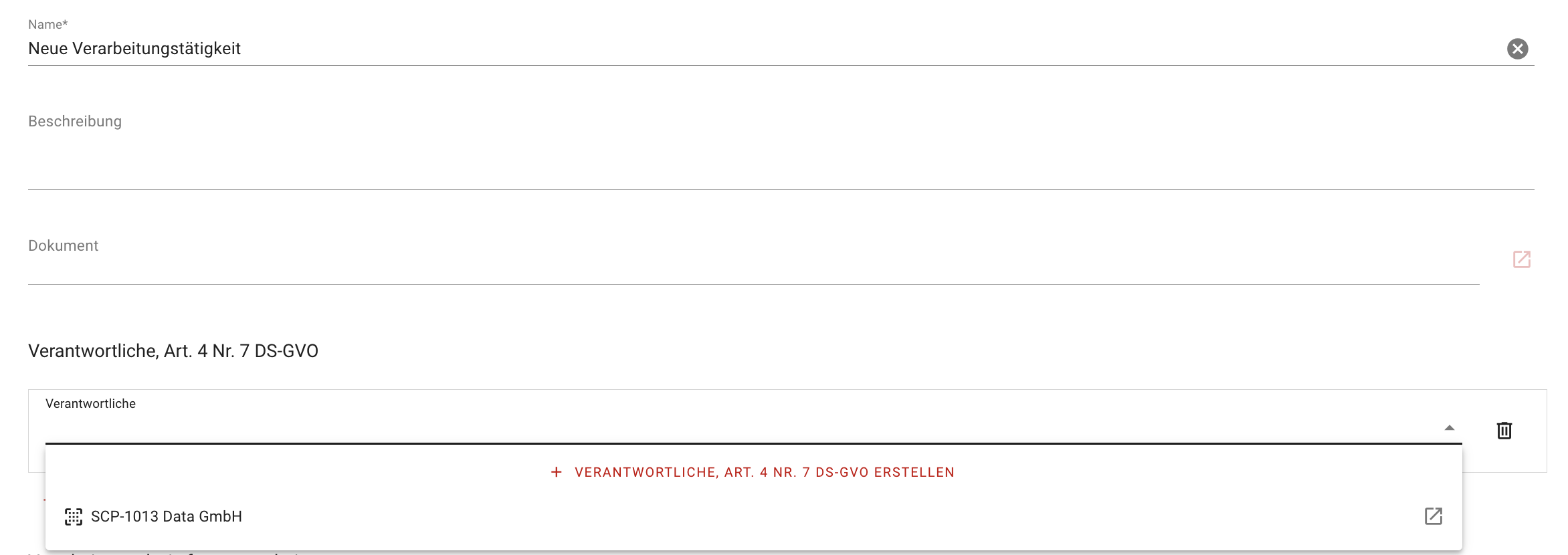
In the dialog that opens, you can now enter and save all information, but at least the name and status for the form Controller, Art. 4 No. 7 GDPR. The new object created in this way is now listed in the Processing activities form as a newly added object.
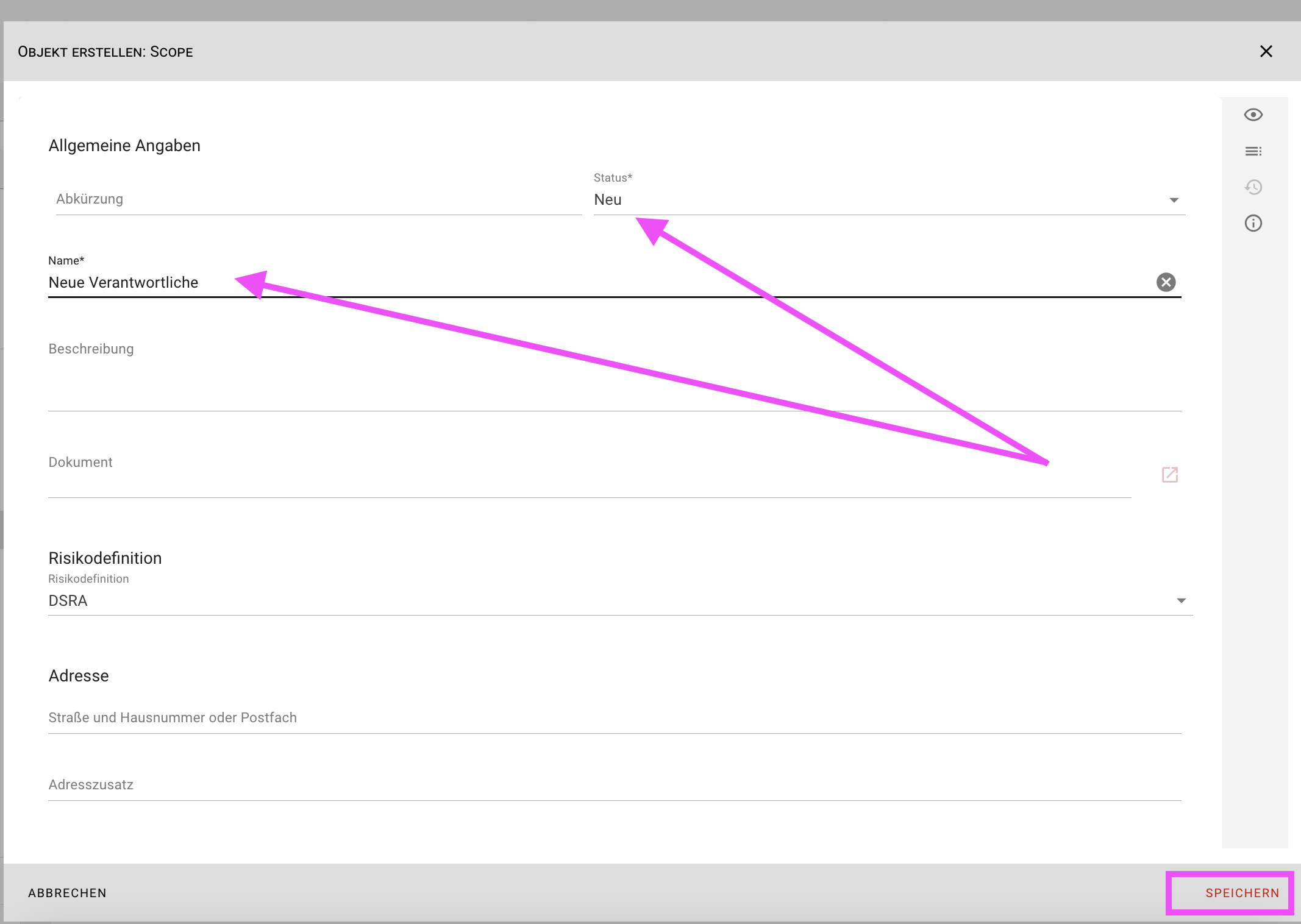
In addition, this newly created object is sorted within the target object Scope of the subtype Controller Art. 4 No. 7 GDPR.
Processing as a processor
If processing is carried out as order processing, this information must be marked with the option Processing as order processor according to Art. 30 II GDPR. In response, all clients that you have already created using the Client form are now available for selection via the Add link function. If you have not yet created any objects for this, this can alternatively be done via the Add link > Create client function.
In the dialog that opens, you can now enter and save all the information required by law, but at least the name and status for the Client form. This object is now listed in the Processing activities form as a newly added object of the Principal type. Documents can also be linked to each client.
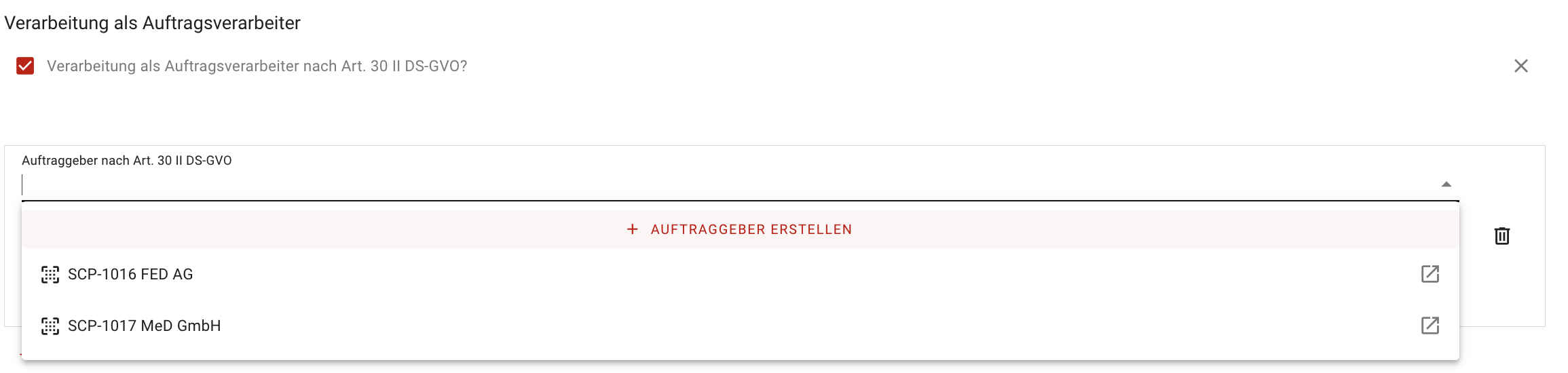
In addition, this newly created object is sorted within the Scope target object with the Client subtype.
If the processing does not qualify as order processing, this question must be answered with a no. In this case, the addition of a link Create client would not be displayed.
General processing information
In this section, you have the option of documenting general information on the processing activity such as department, date of collection, type of processing, place of processing or stage of operation. Furthermore, a responsible person can be determined via the link to a personal object.
Joint controllers Art. 26 GDPR
If two or more controllers jointly determine the purposes and means of processing, they may be joint controllers within the meaning of the law. In this section, as usual, objects of the subtype Joint controllers that have already been created are available for selection. If not, these can be created using the function Add link > Create joint controllers. Documents can be linked to Common assignees.
Intended purpose
In this section, you document the purpose of the processing, taking into account the purpose limitation. Data may only be collected for specified, clear and legitimate purposes and may not be further processed in a way that is incompatible with these purposes.
Legal bases
Any processing of personal data requires legal legitimation. Due to the primacy of the General Data Protection Regulation, the lawfulness of the processing of personal data must first be assessed in accordance with the GDPR. If the GDPR allows for regulatory leeway, regulations from general and, where applicable, sector-specific national data protection law (state or federal law) may be relevant as legal bases. The legal bases are determined via the associated selection field (multiple selection). As it is not possible to make an exhaustive list here, the option Other legal bases allows you to document specific standards manually in the text field.
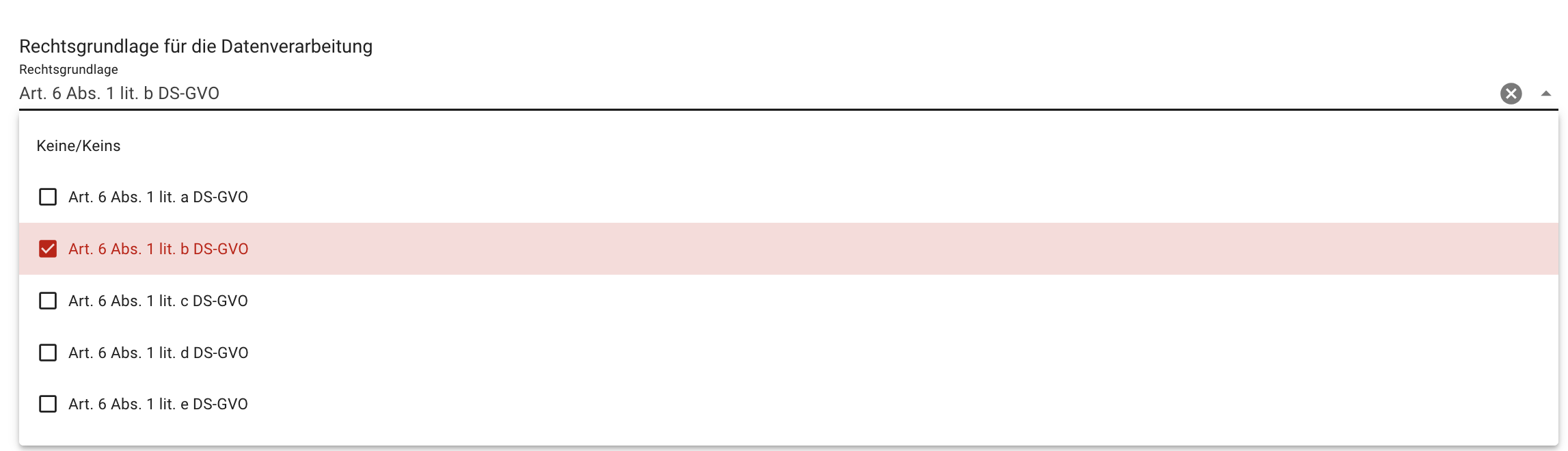
Under Explanation, you can explain the lawfulness of the processing. Under certain circumstances, it may be necessary to write more extensive legal opinions to explain and justify the relevant legal bases . If necessary, use the Document button to link to other centrally stored supporting documents.
Data/data categories
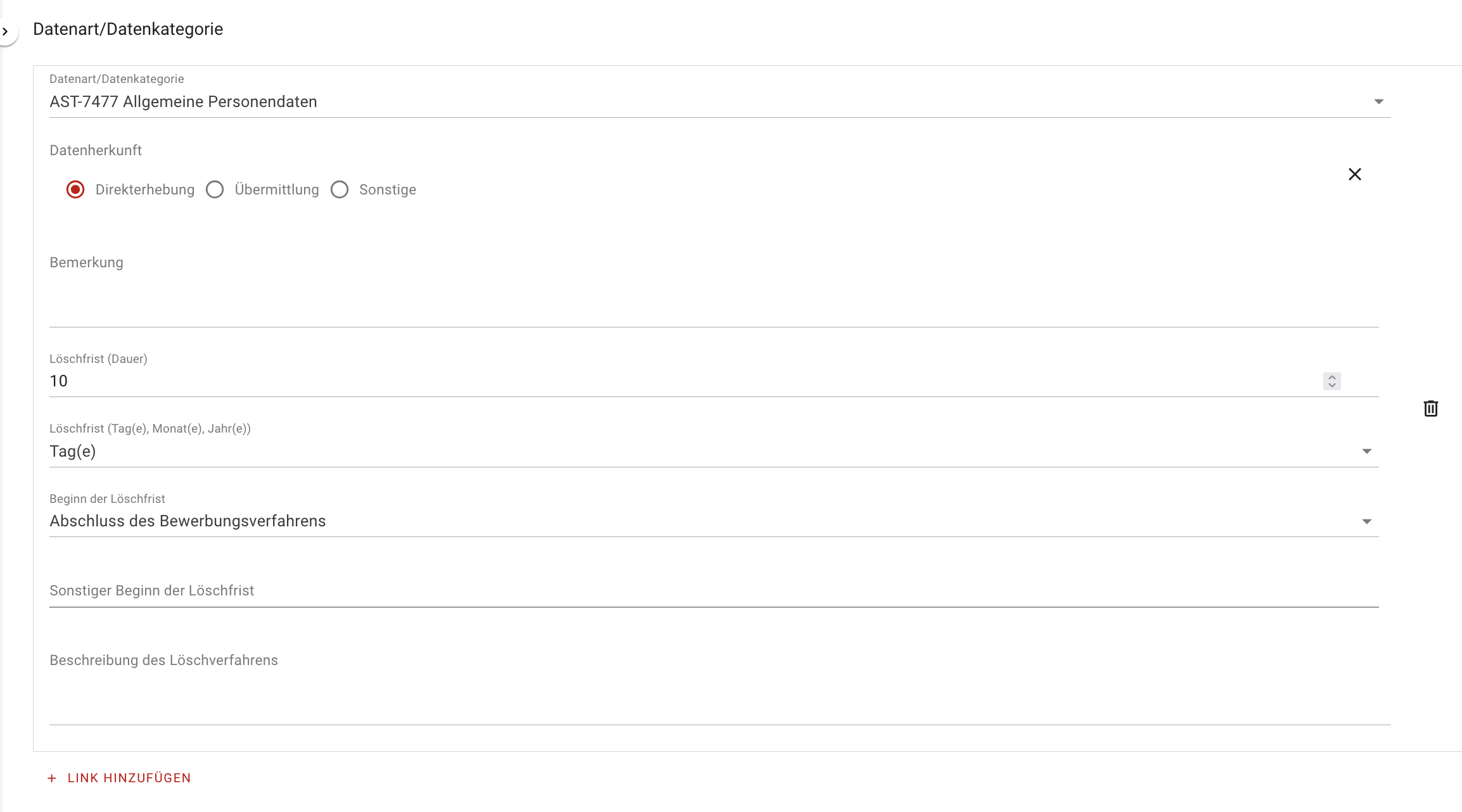
You document the type of data processed using the Data types form so that you can select them. Alternatively, you can create the data types directly from the processing activity using the Add link > Create data type function. Information on the origin of the data and deletion periods can now be entered for each data type. Specific deletion periods must be defined for each data category, i.e. the period after which the storage of the data ends. For this purpose, legally regulated retention and deletion periods as well as self-defined periods must be specified. In the deletion periods section, you can enter these and describe the deletion procedure.
Categories of data subjects
In this section, you document data subjects (data subjects) whose personal data is processed. The categorization of data subjects depends on the role and relationship to the controller, e.g. customers, suppliers, employees, etc. If the options available for selection do not apply or are not sufficient, an individual (manual) entry must be made via the text field.
Authorized persons (groups)
Persons and groups of persons who are authorized to access the processed personal data must be documented. The underlying mechanism can and is usually mapped using a rights- and role-based authorization concept. The implementation can be documented using the option Authorization concept available. You can document the specific implementation in different ways:
- In the free text field Description of the authorization concept.
- By linking to a document maintained elsewhere.
Data transfer to
If personal data is passed on to third parties or processors, for example, these data transfers must be specially marked. In the course of the processing activity, this processing step can be realized via the form data transfer and this object can be linked via the link provided for this purpose in the processing activity. Details on data transfer can be found in the section Data transfer.
Duty to provide information
If personal data of a data subject is collected, the controller shall provide the data subject with the information described in Art. 13 or Art. 14 GDPR at the time the data is collected. You document the fulfillment of the information obligations in verinice in this section. You can link to internal documents via the Document button.
Potential impact
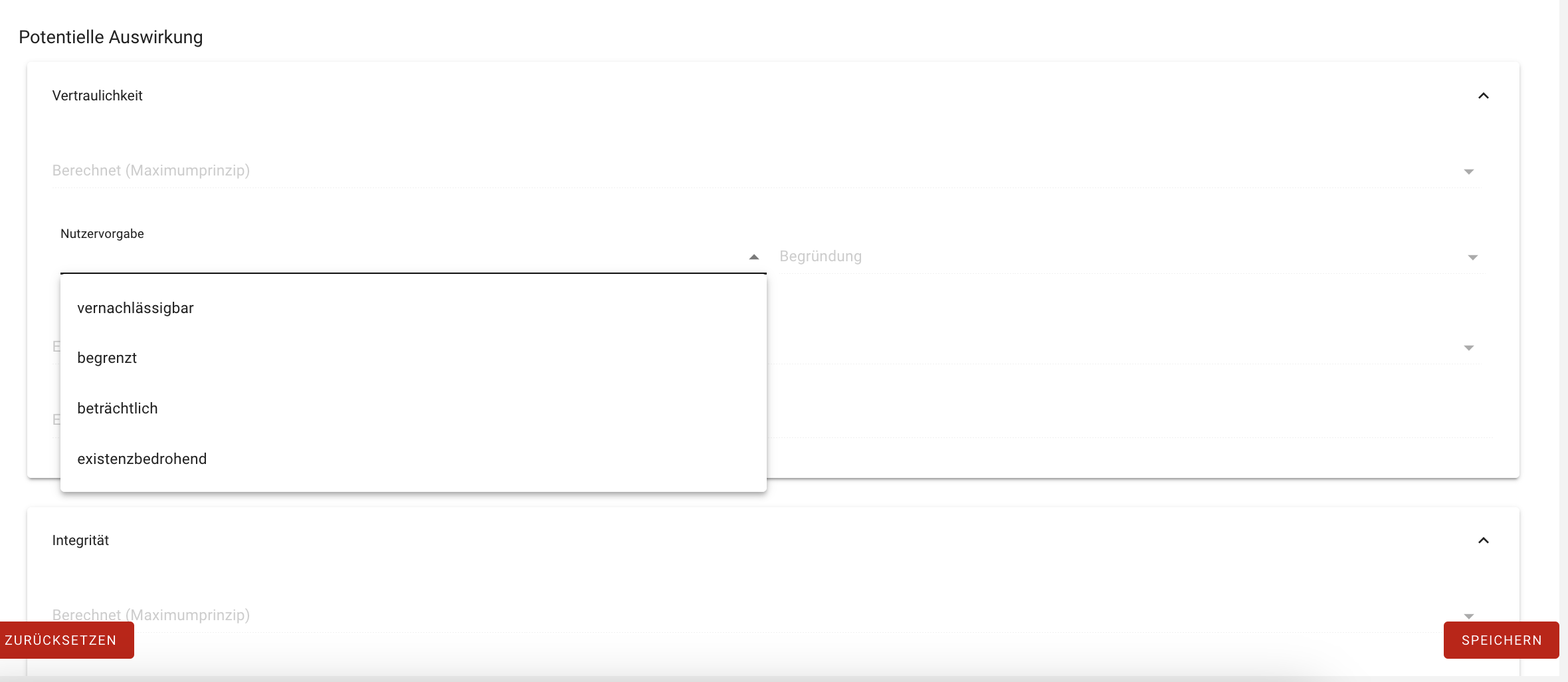
In the GDPR domain, you can define the Potential impact for processing activities, data transfers, DPIA, applications and IT systems as well as data types. To do this, open the respective target object by double-clicking it and scroll to the Potential impact section in the editor or navigate to the Potential impact section in the content overview. In the drop-down menus, select the corresponding value negligible, limited, considerable or existence-threatening for the 4 basic values confidentiality, integrity, availability and resilience.
Inheritance of the potential impact
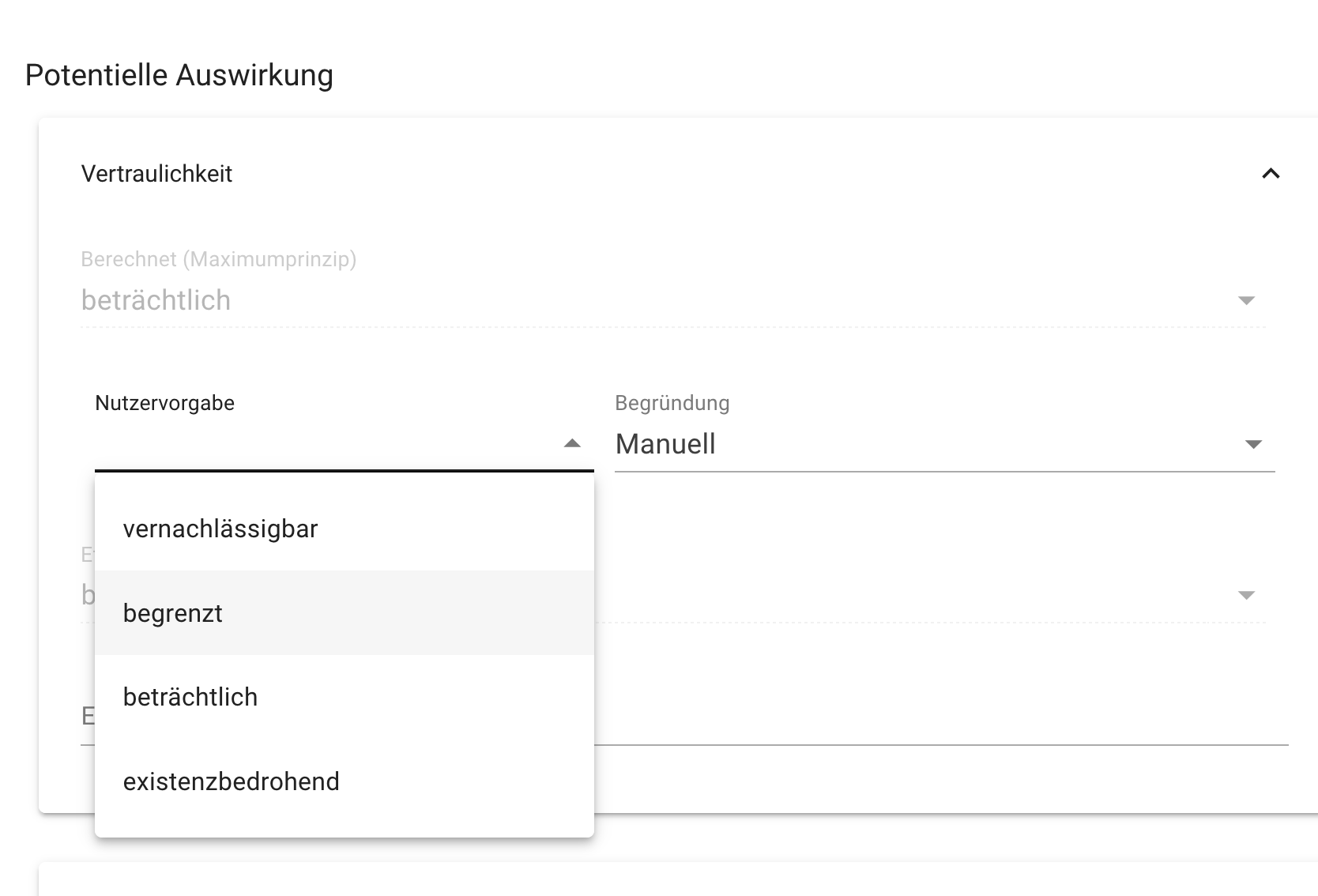
In verinice, the potential impact is automatically derived from data types as the top level in the derivation hierarchy for the remaining target objects, separated according to protection objective. The automated derivation always follows the so-called maximum principle across the entire derivation hierarchy. However, this value can be manually overwritten in each target object by manually setting the Potential impact via the drop-down field User default. In this case, it must be documented by selecting in the drop-down field whether the distribution effect or accumulation effect was used as a basis.
Risk analysis and risk treatment
To carry out the risk analysis and risk treatment, please proceed as follows:
- Select the Risks tab in the detailed view.
- Use the red Plus button to add a risk for your processing activity.
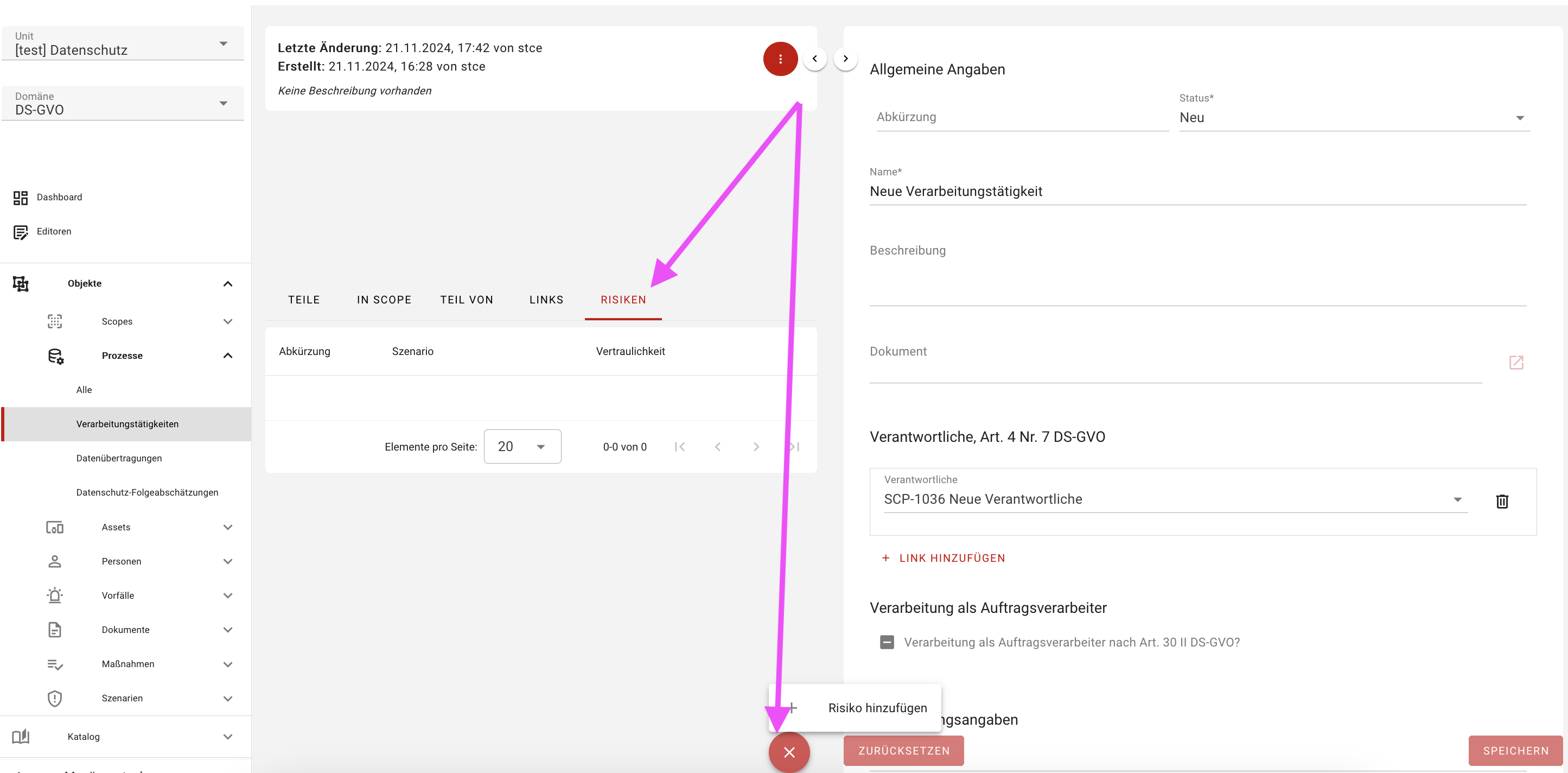
- Make a suitable selection from the data protection risks.
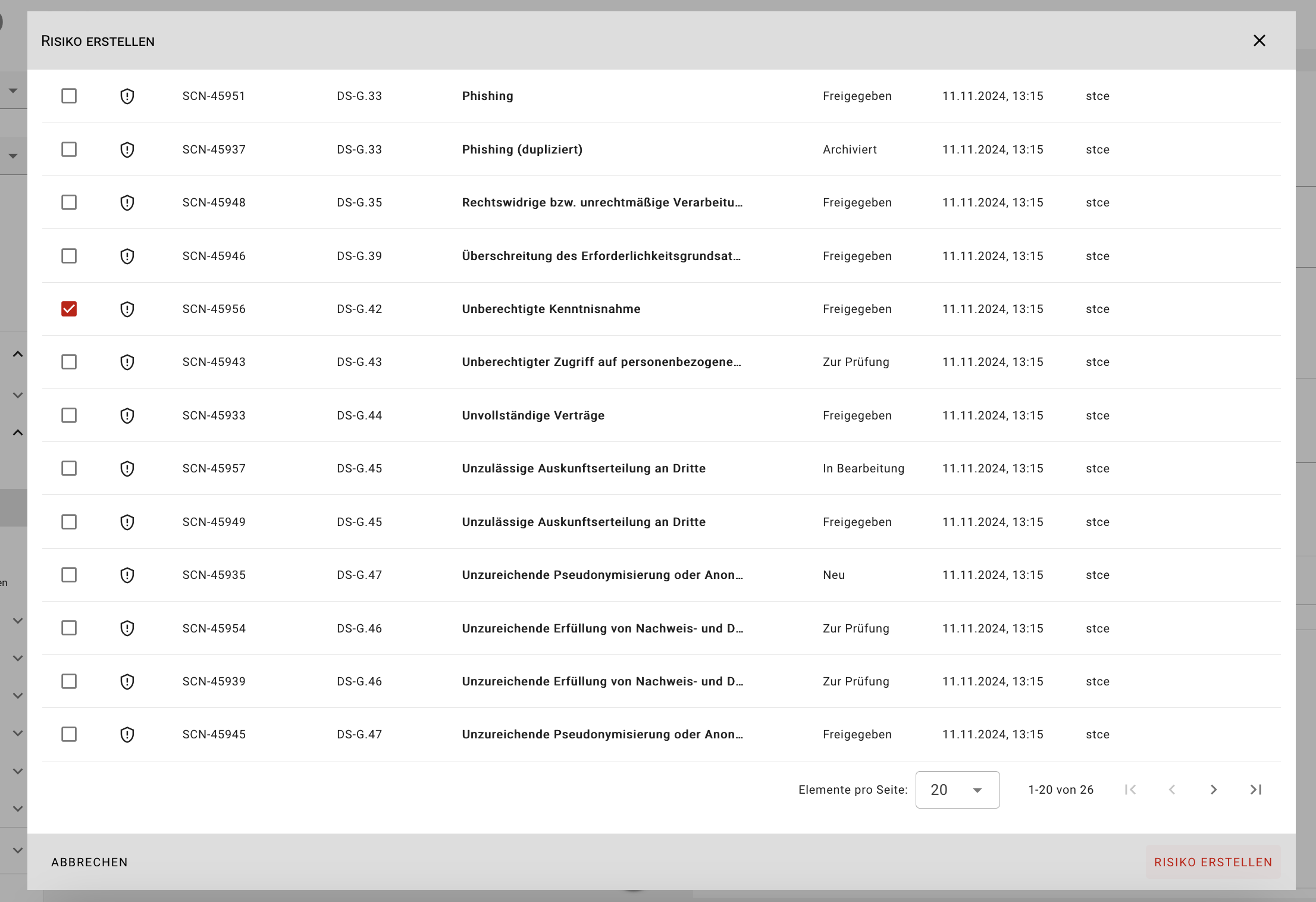
The list contains the threats manually applied to your unit from the catalog. You also have the option of creating your own individual hazards as objects using the Hazards form in order to use them for your risk analysis.
- In the risk dialog, you can now set the specific values for the probability of occurrence and impact, among other things.
- The options Risk Avoidance, Risk Reduction, Risk Transfer, Risk Acceptance are available for risk treatment, each with a text field for explanations.
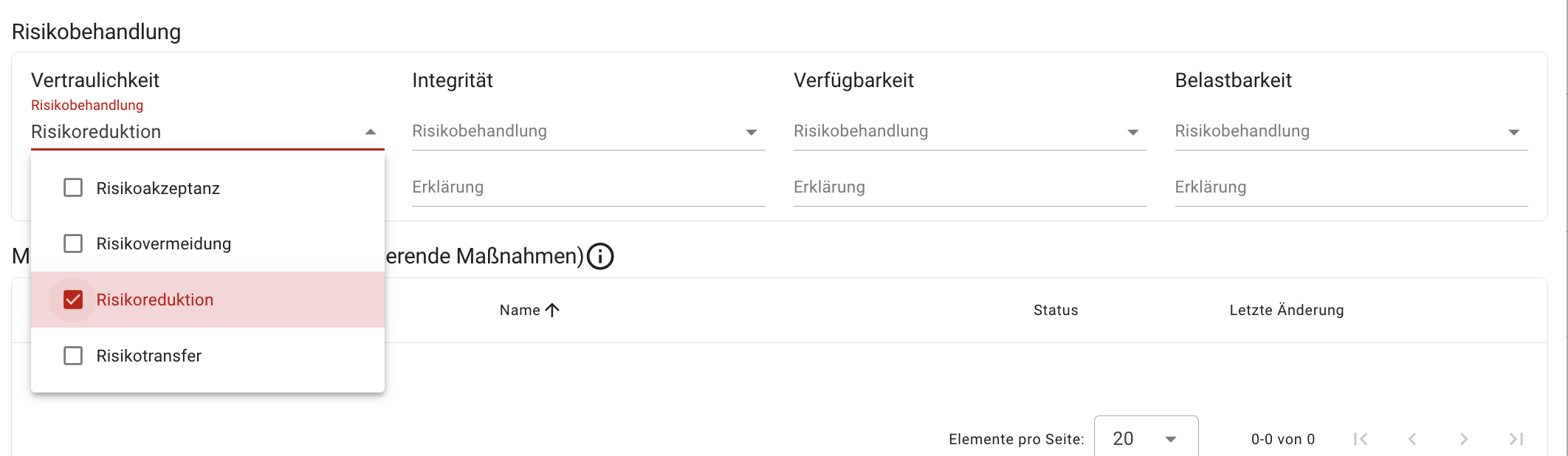
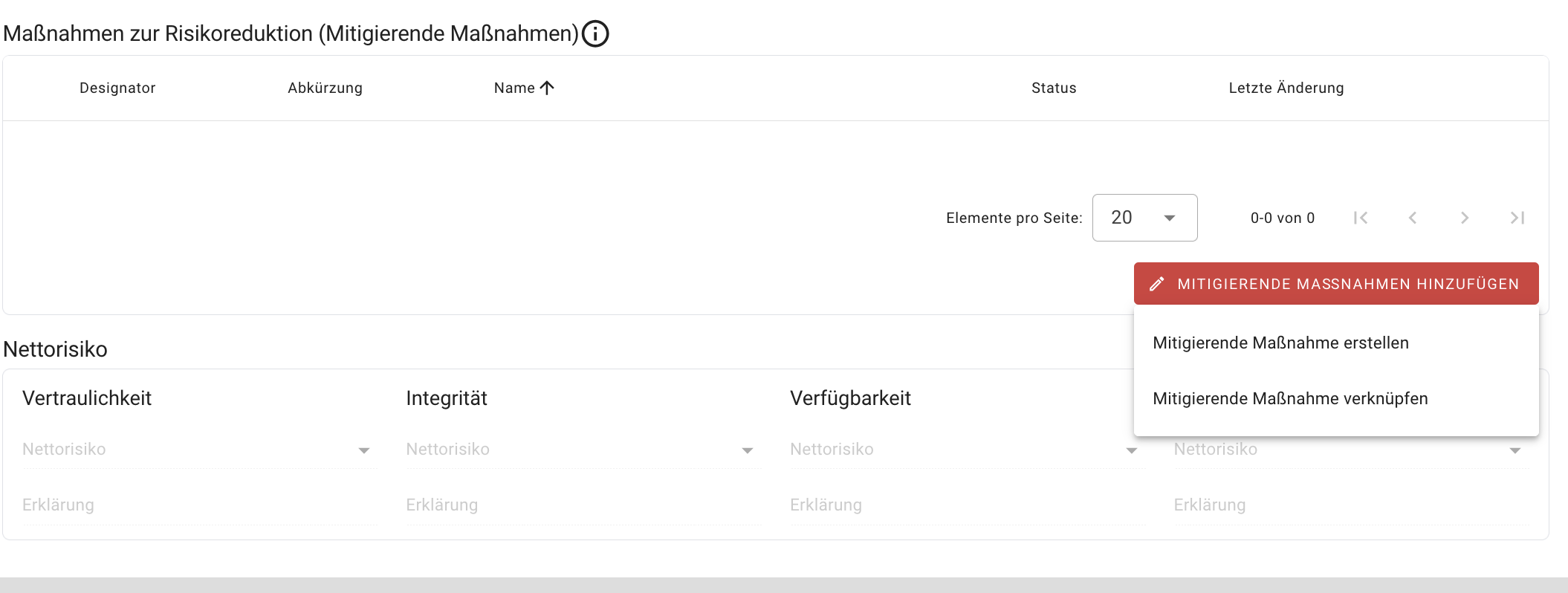
- If the risk treatment option Risk reduction is selected, the risk can be reduced by adding Mitigating measures either by creating new measures or by linking measures that have already been recorded. Further details on risk analysis and risk treatment can be found in the section of the same name.
Data protection impact assessment (DPIA) required?
verinice supports you with an automated decision aid to determine whether a data protection impact assessment (DPIA) needs to be carried out. The legal decision parameters such as
- Is the processing on the negative list according to Art. 35 V GDPR?
- Is the processing part of joint processing in accordance with Art. 35 I S.2 GDPR?
- Is the processing on the positive list pursuant to Art. 35 IV GDPR?
- Does the processing meet two or more of the criteria that are recognized as requiring a DPIA?
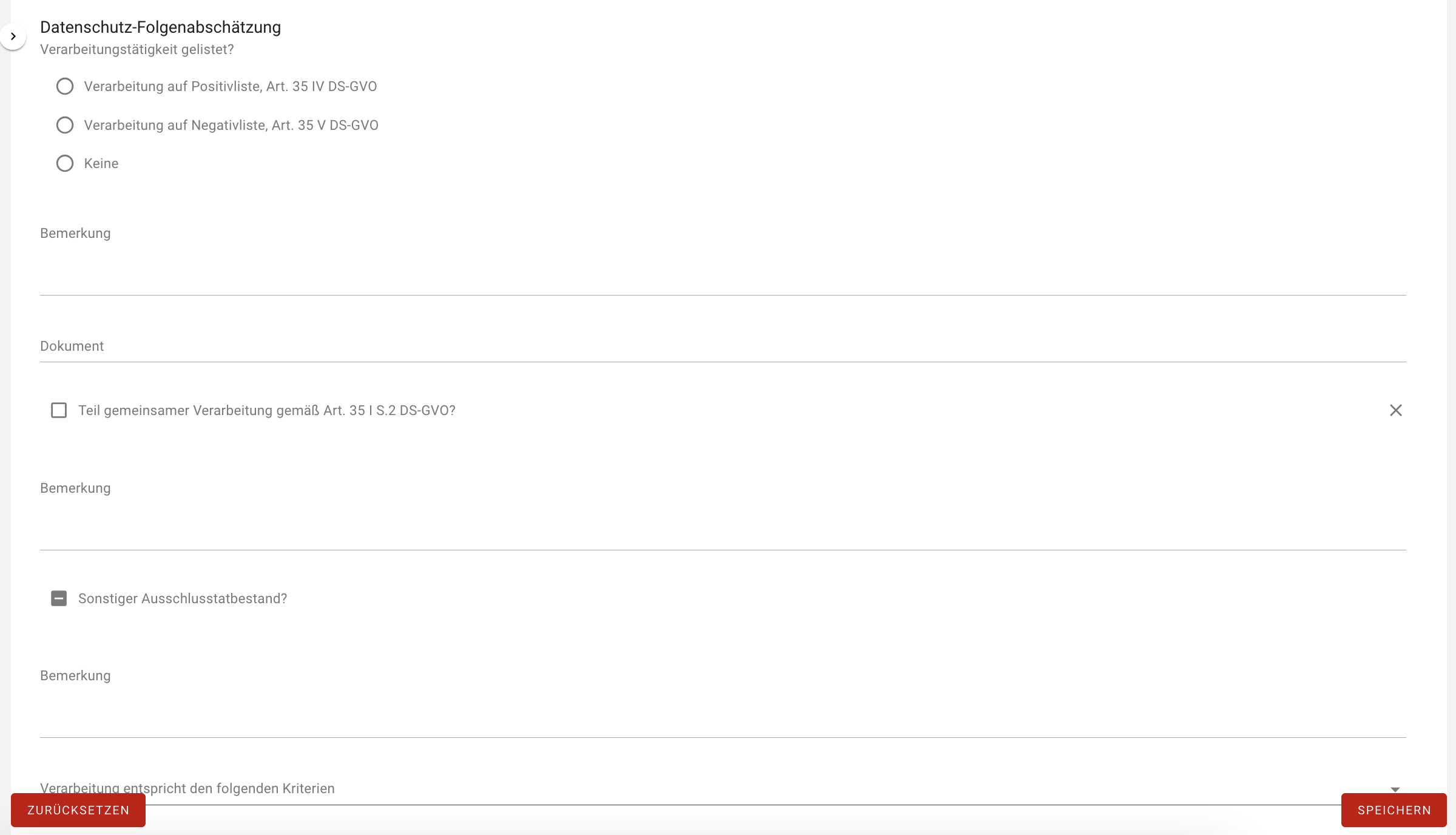
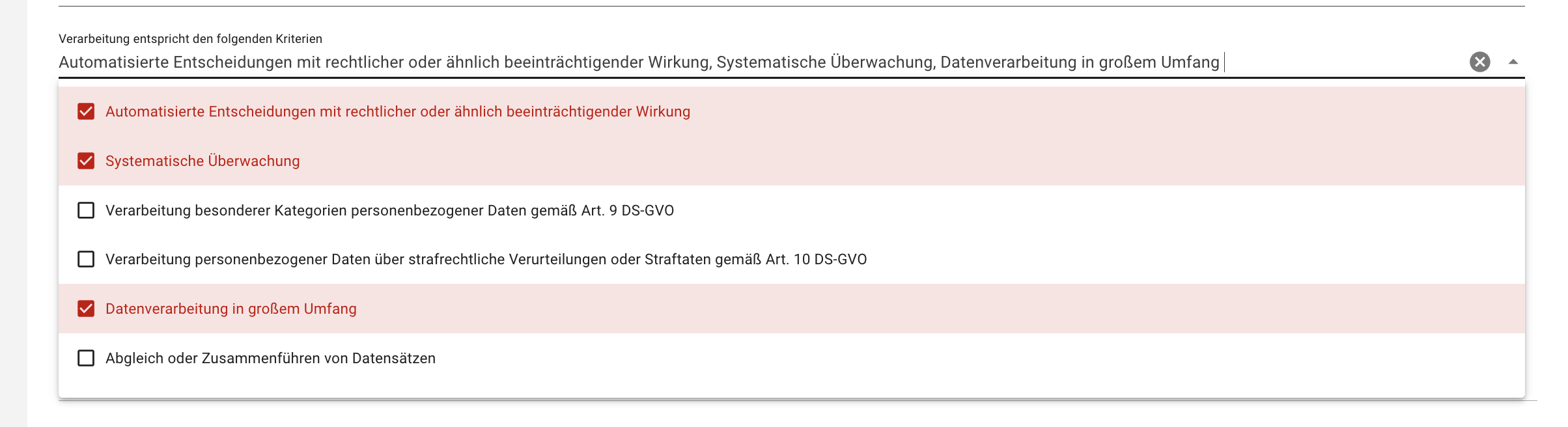
Depending on your selection, a note will appear under the heading Notifications as to whether a DPIA is required, together with a brief explanation. You can of course overrule this decision and carry out a DPIA voluntarily.
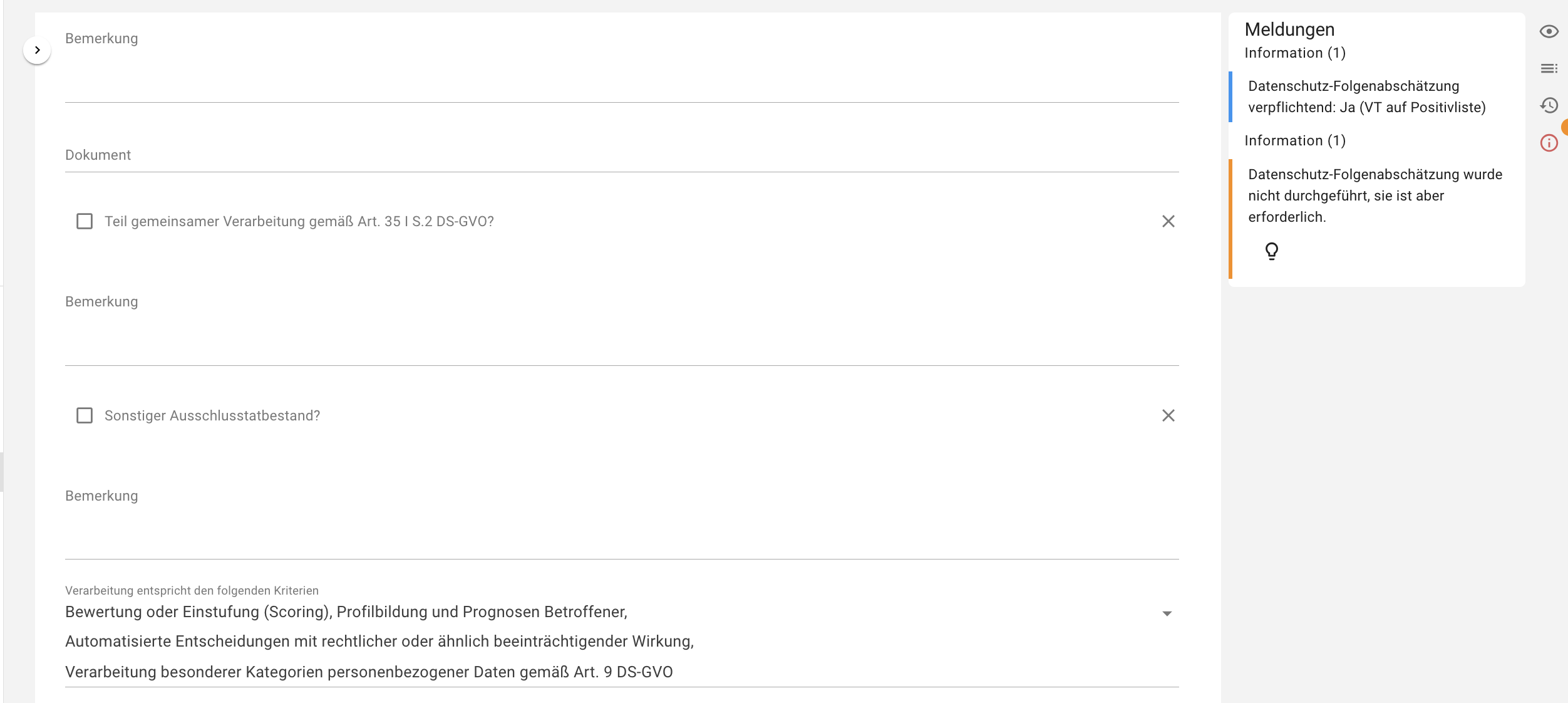
If a data protection impact assessment is required, you can carry it out effectively in verinice as described in the DPIA chapter.
Opinion of the data protection officer
The data protection officer should be given the opportunity to issue an opinion in the course of the introduction or modification of a processing activity.
Required applications and IT systems
In this section, the applications and IT systems required for this processing activity can be documented. Both aspects can be mapped using separate forms and then linked.