
Data subject requests
According to Articles 12-23 of the GDPR, data subjects have various rights in the context of the processing of personal data. If these data subject rights are asserted, the controller is obliged to respond in a timely manner and in full.
Create a new data subject request
In verinice, data subject requests are a subtype of the target object Document. You can create a new object either via the dashboard by clicking on the Document form or via the main menu Objects > Documents > Requests for affected persons in the object overview using the red Plus button.
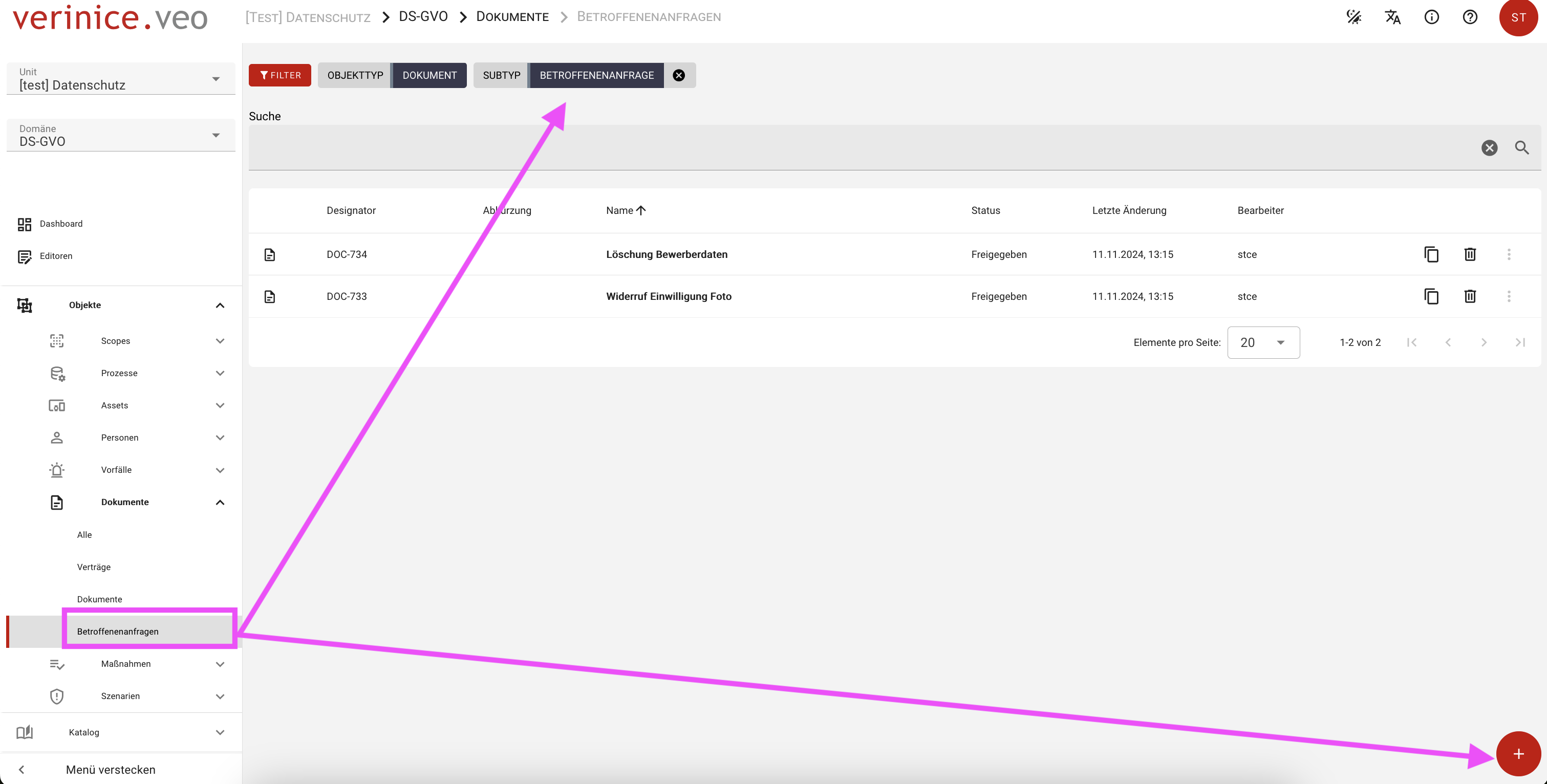
In the dialog that opens, you can enter and save all the information, but at least the name and status of the Affected person request form. The new object is now listed in the object view and can be opened for further editing. As usual, two views are available. The detailed view on the left and the form view on the right.
The information on the affected person request must be entered in the form of the same name and therefore in the form view. For a better overview, you can hide the detailed view using the Object details function. If necessary, the process can be undone at any time using the Show object details function.
Form contents for data subject request
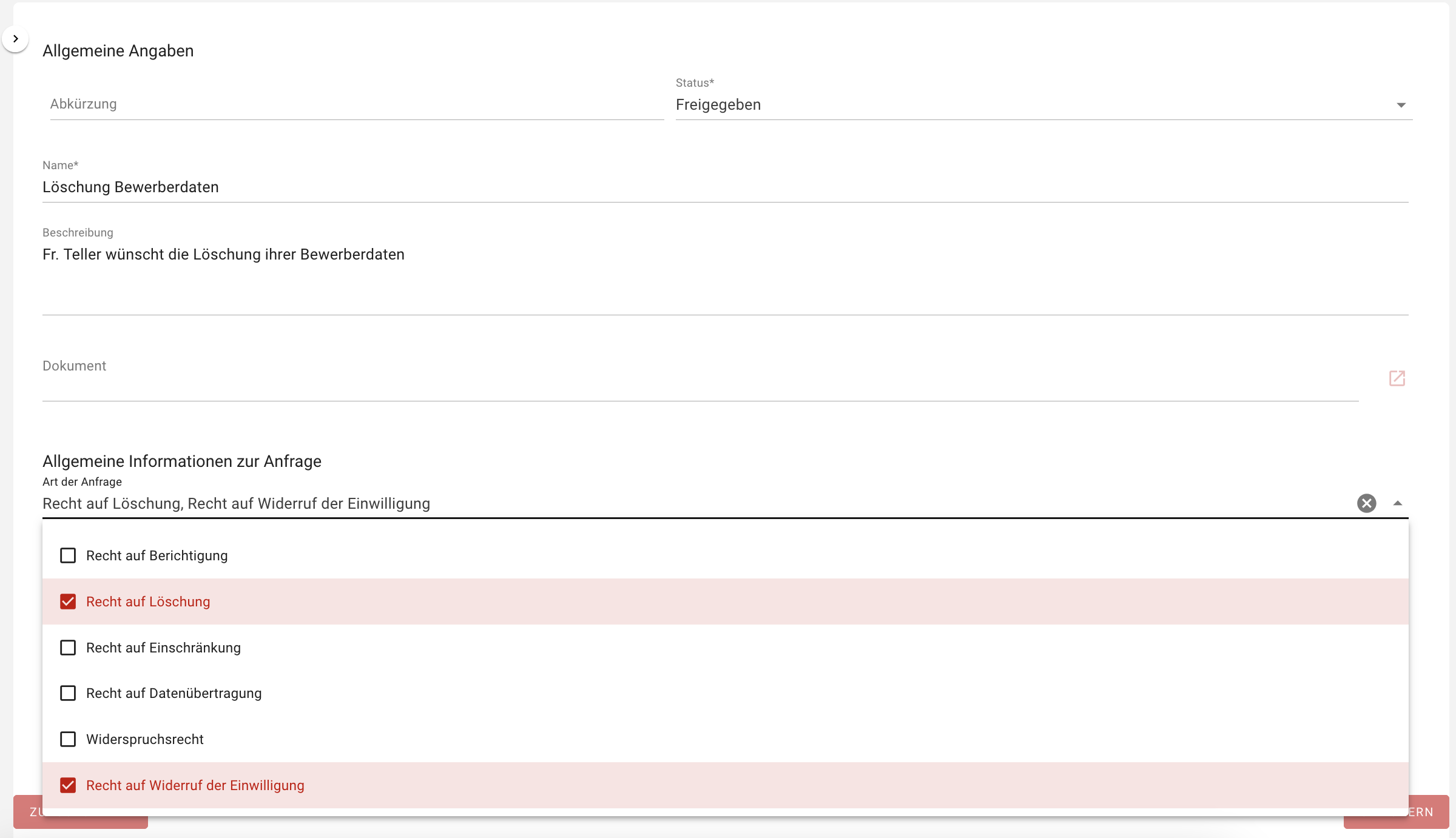
In the section General information on the request you can select the type of request. This allows you to make multiple selections.
In the following sections, you can enter further legally relevant information about the request, such as deadlines, contact details of the requestor(s) or identity checks. You can obtain a detailed presentation of a documented data subject request with the Data subject request report, the overview of documented data subject requests via the Data subject request overview report.